1.3 Setting-Up Service Offerings
Services are critical to successfully navigating and operating the Critter platform. Services represent all of the offerings that professionals provide to clients. Navigate to the "Services" sub-tile on the Business Profile to add all required information.
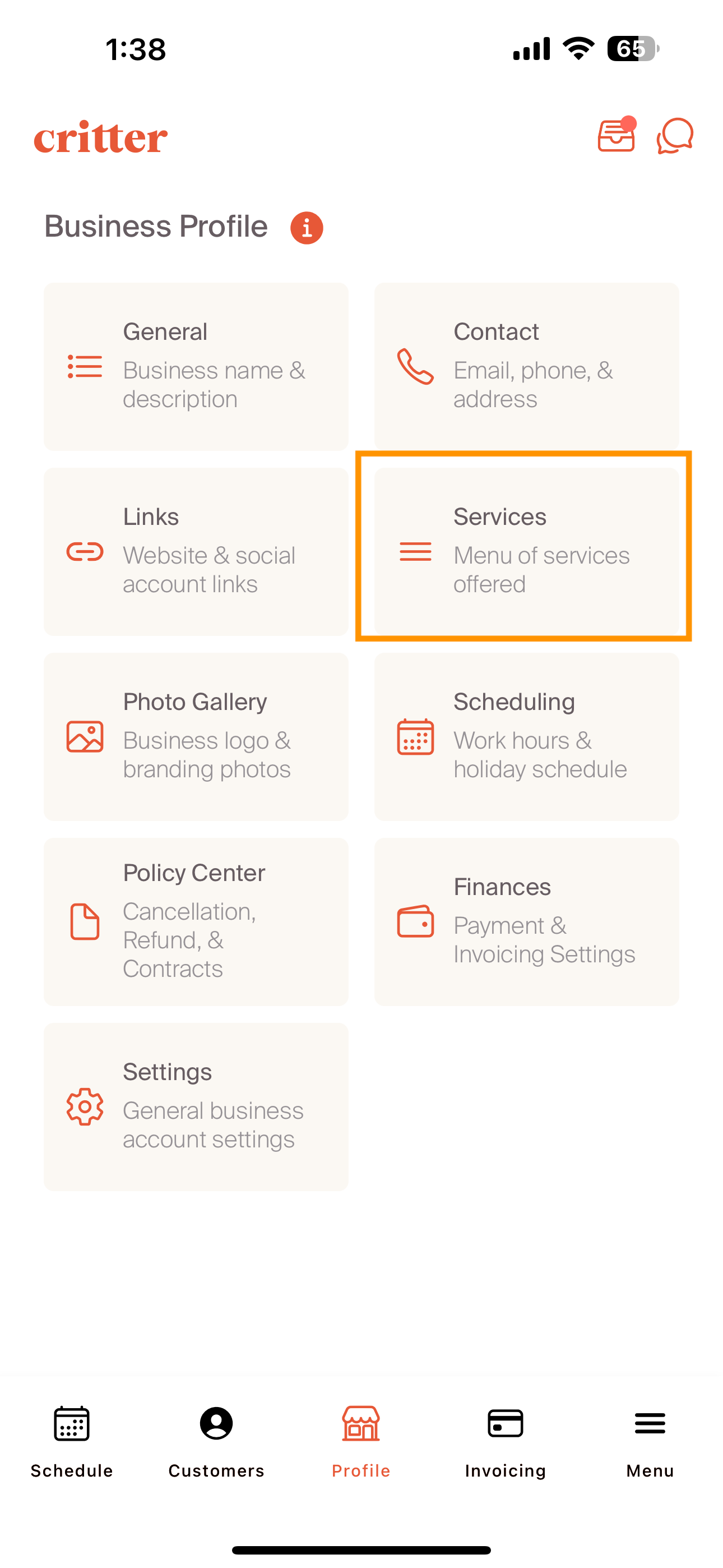
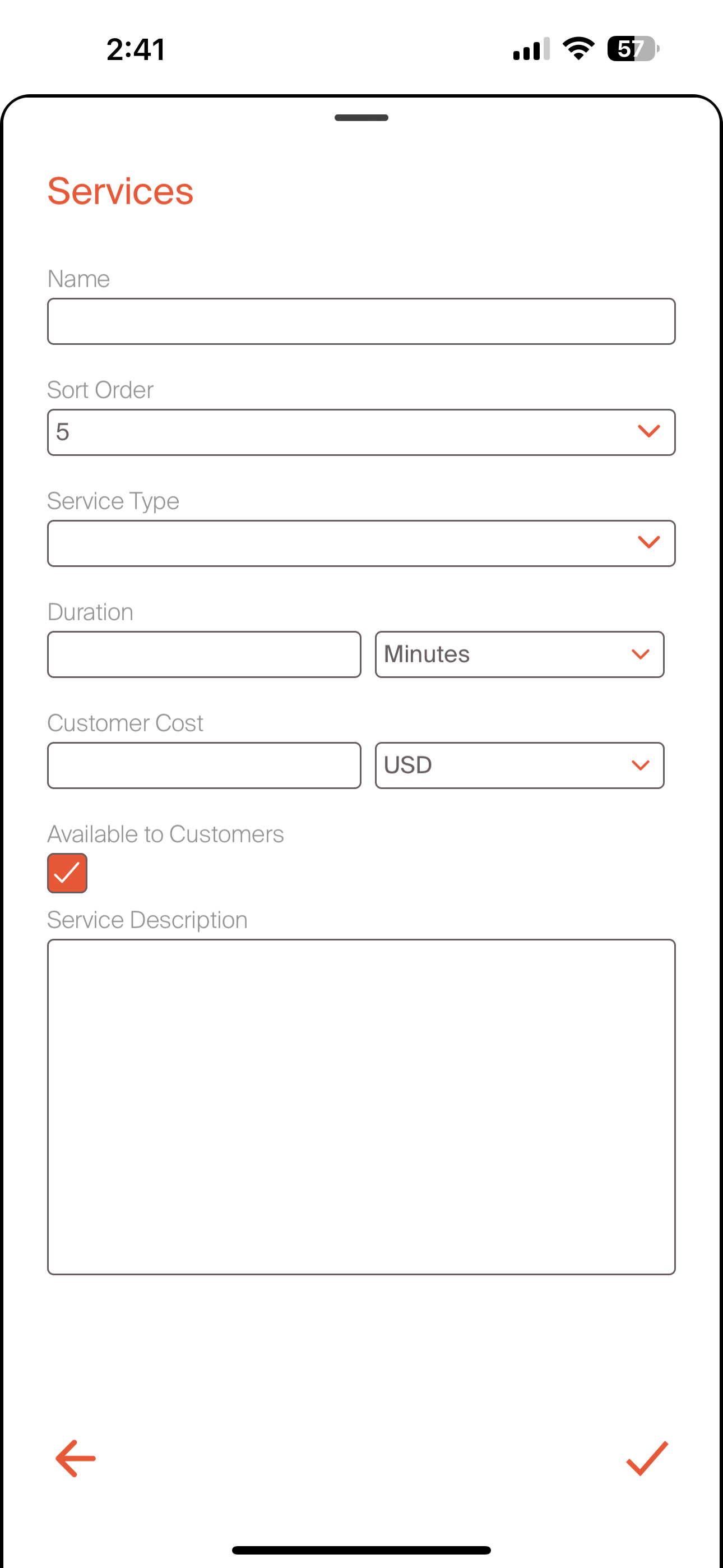
In order to add a service, professionals will follow the steps below:
- Select the "+" tab in the upper right corner
- Add the name of the service
- Select the sort order: this is the order that the service will appear in a list. #1 corresponds to the first service listed
- Service type buckets the service into a group of offering types. The options include: Boarding, Daycare, Drop-In, Farm Care, Grooming, Pet / House Sitting, Training, Veterinary, Walking, or Other. Bucketing these services into the correct type will help to manage profiles that provide various type of care
- Select the duration. This can be done in minutes, hours, or days. This is a default duration and can be updated later in the process when creating bookings
- Select the Customer Cost and Currency. This is a default amount and can be adjusted during future parts of the booking and invoicing process
- Check or Uncheck the Available to Customer Box. By checking this box, customers will be able to see that this is a service you provide. Customers will also be able to request this service
- Add any additional description to understand the nature of this service
- Select the "check mark" in the bottom right corner to finalize the service
- Add as many services as required
Once professionals have services set up, proceed to the policy and documents to get the onboarding activities created.