1.5 Configuring Finances
The finance section is where professionals will choose the key set-ups for invoicing and payment. This includes selection of payment methods, invoicing terms and language, and the option to set-up a stripe account.
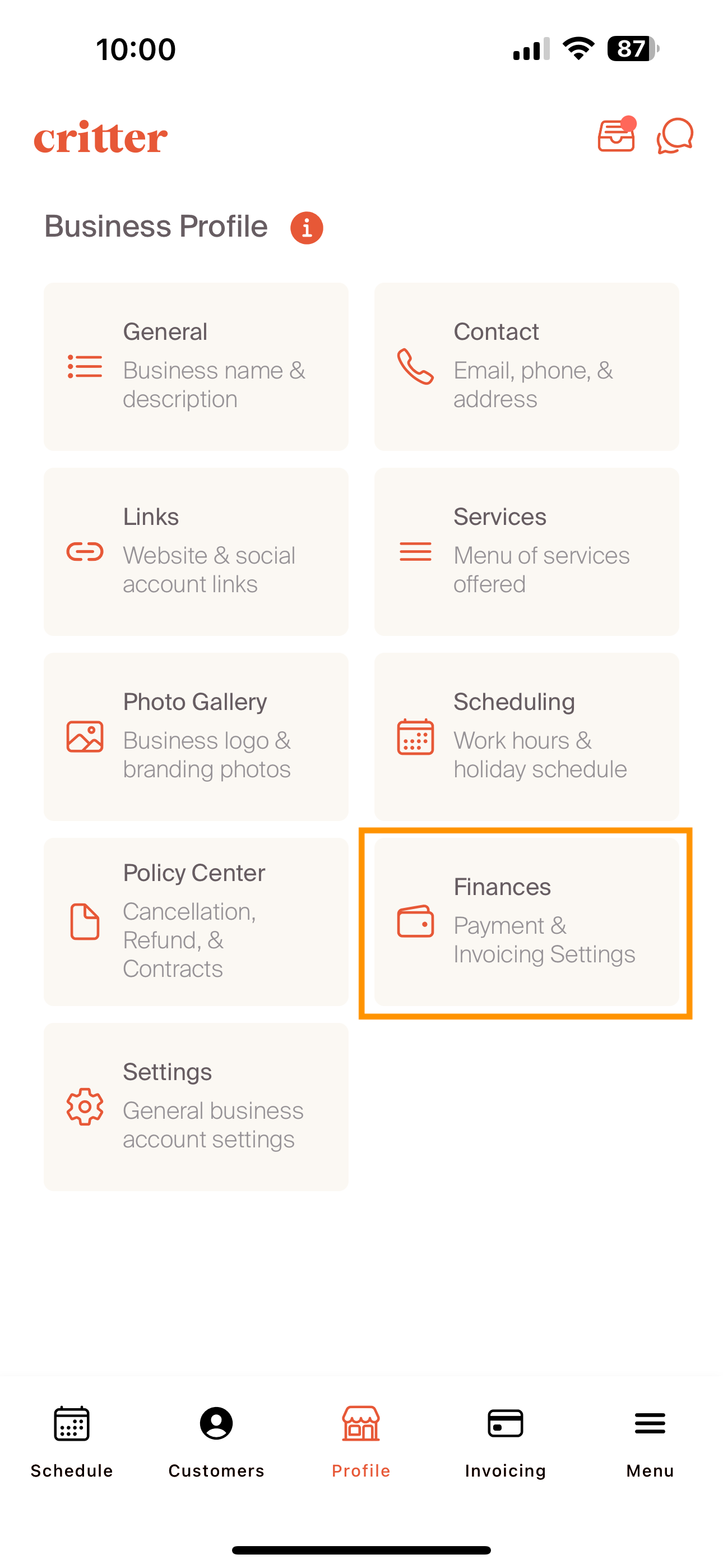
Each major field is represented by a selection on the Finance tile. The first choice is to decide if a professional would like to leverage the Critter In-App payment capability. The Critter In-App payment platform delivered in partnership with Stripe.
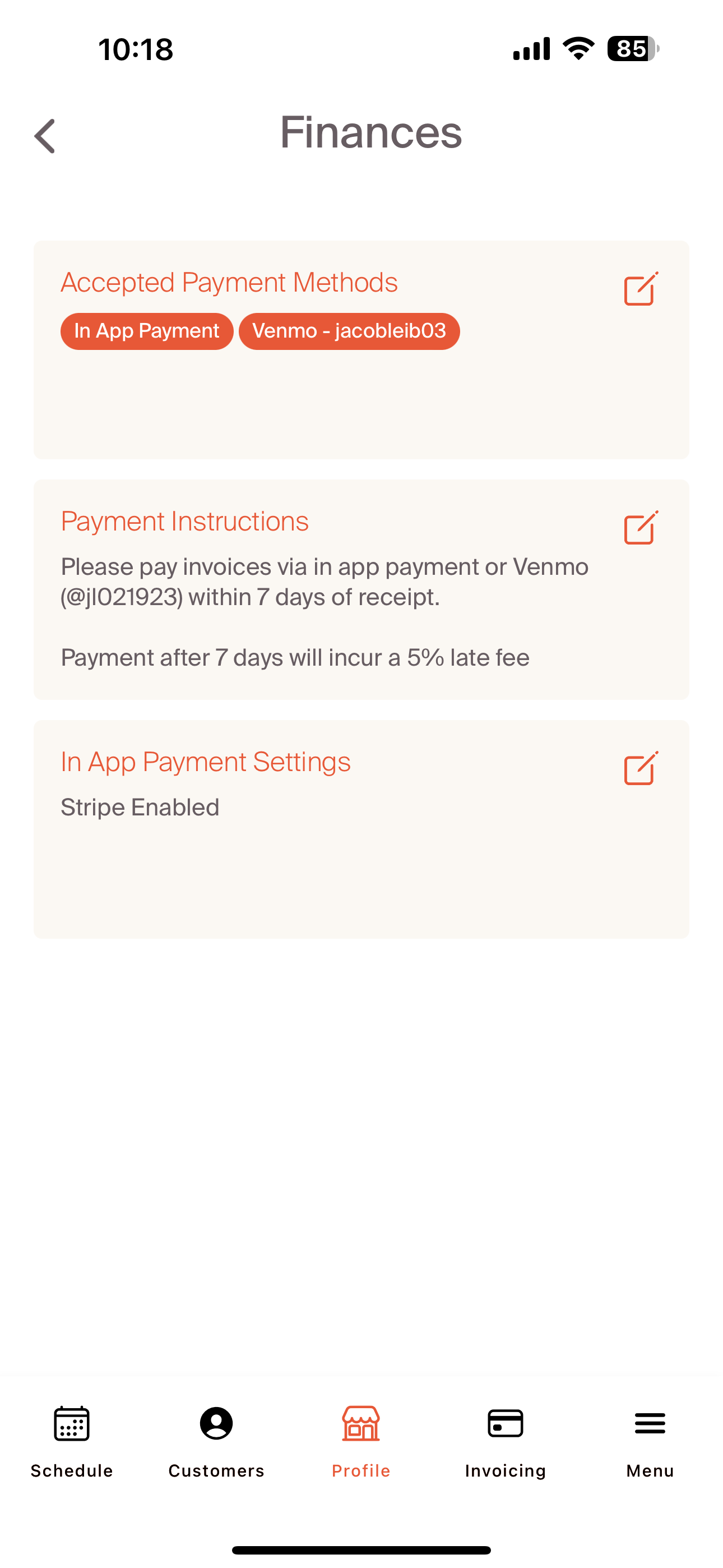
When a professional selects the "In App Payment Settings" edit feature, they're brought to the In App Payment Setting screen. Select the "Set Up Account" and they'll be taken to the Critter/Stripe landing page. Following the steps on the Stripe set-up process will allow a professional to link their bank account information to accept credit card payment. There is no additional processing fee on top of the existing stripe fee. When an account set-up is complete, the In App Payment Setting screens will be updated to show "In app payments have been enabled"
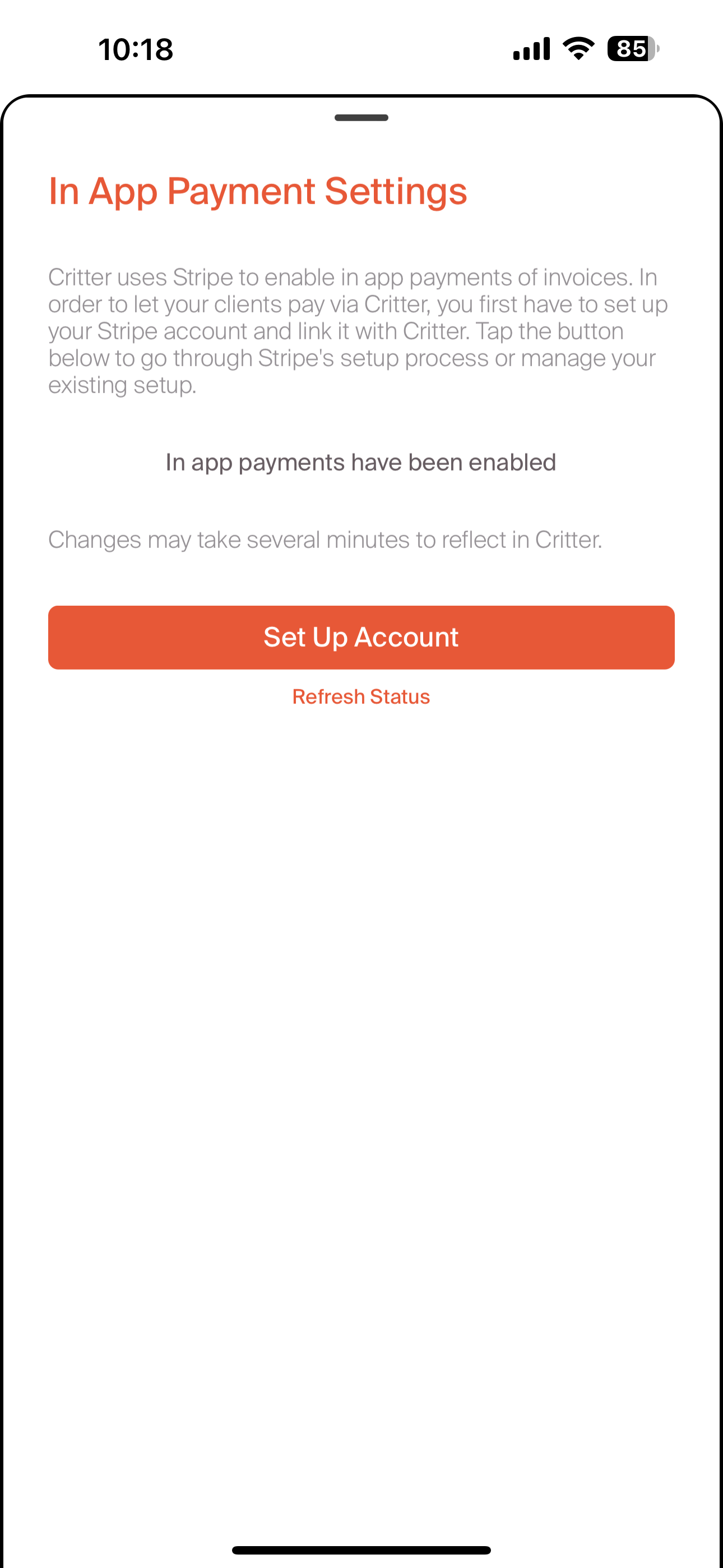
After choosing to use and enable or to not take advantage of in app payment, the next step is to choose what other payment types a professional is willing to accept. In the sample below, we've also indicated that we are willing to accept Venmo for services. Additional payment options can be added by the "+" sign in the upper right hand corner.
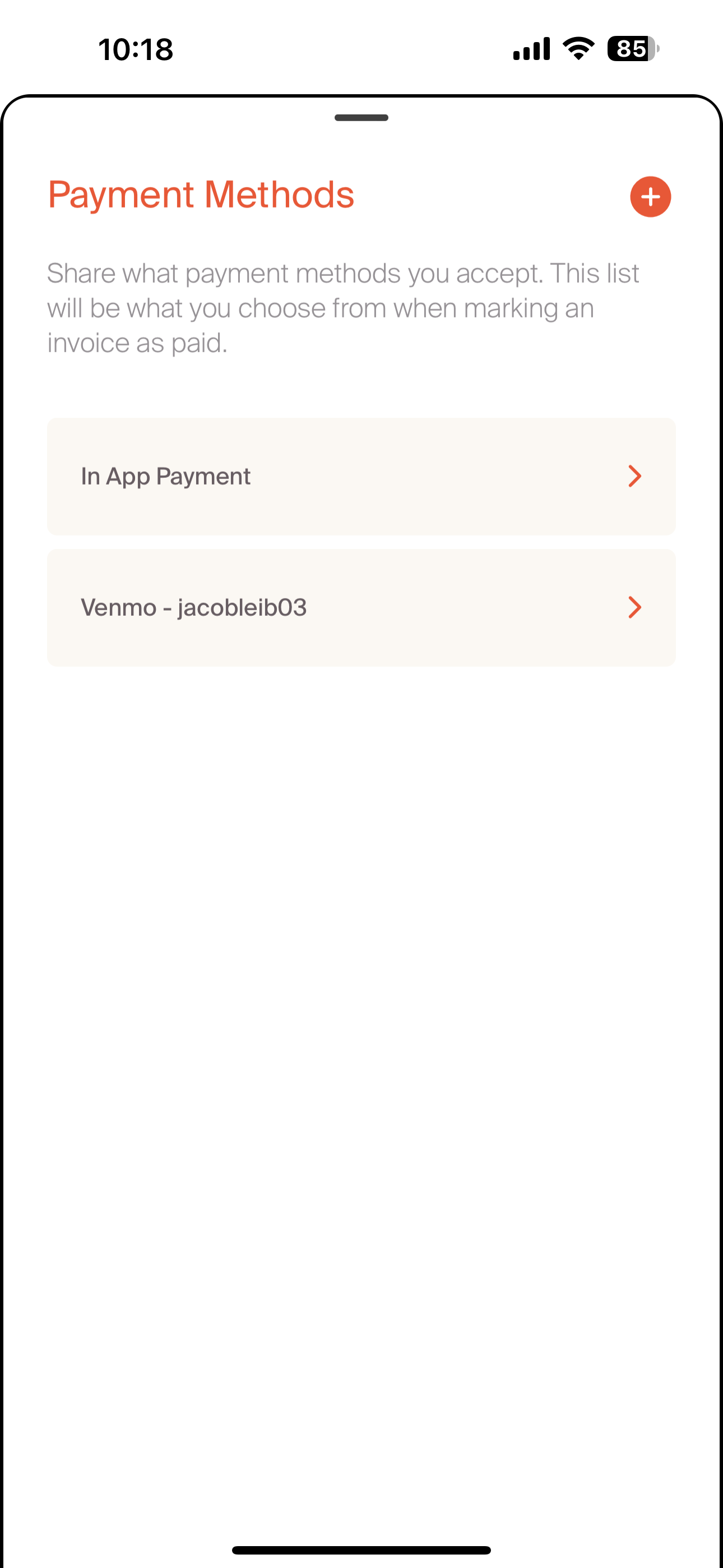
The last step of the finance section is to write out payment instructions. These are free text and are fully customizable to a professional's business process. In the sample below, we can see we've reflected terms to be in alignment with the payment settings set-up in previous steps. These payment instructions will appear on customer invoices. We've included a sample of a customer invoice below.
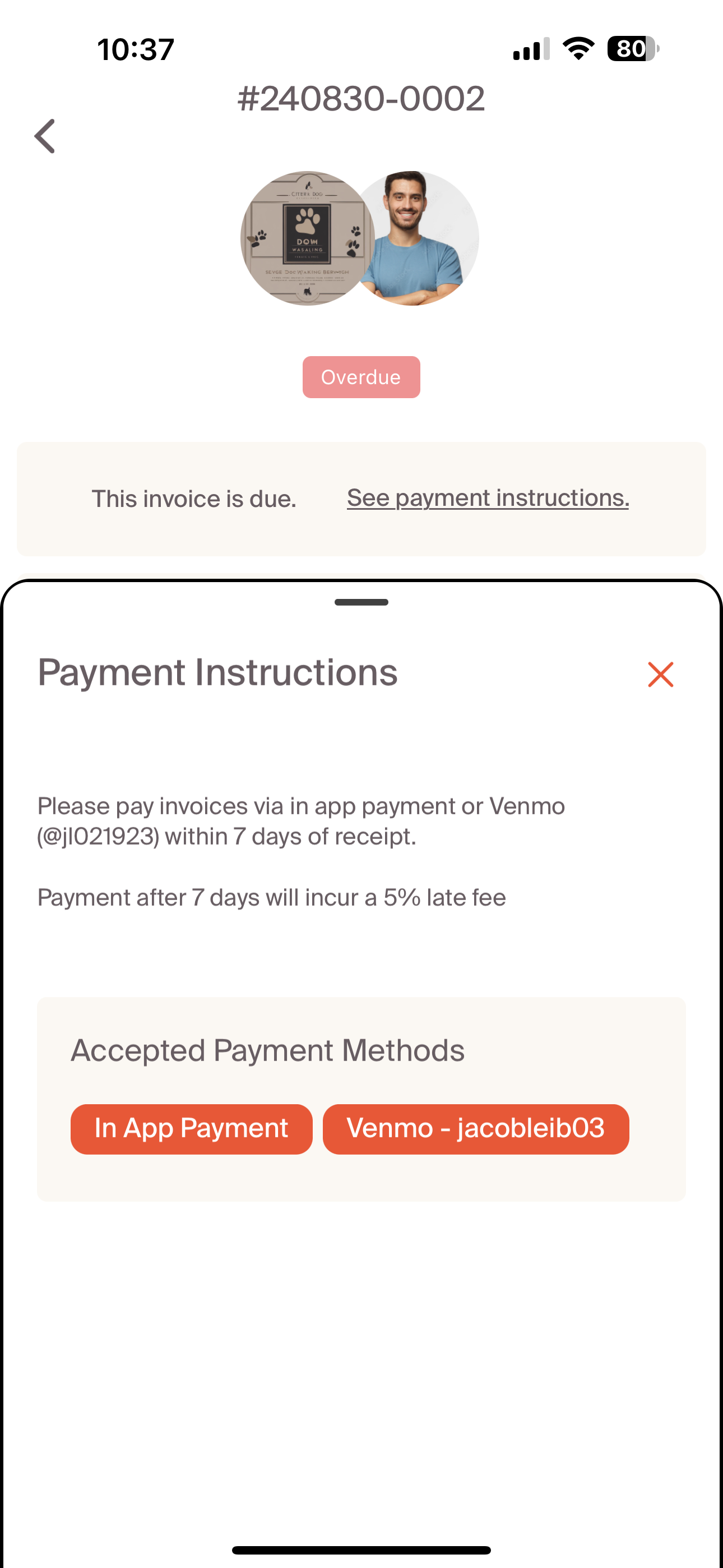
The sample invoice shows the payment instructions and accepted payment methods that we've set-up in the previous steps.
Once complete, navigate to other settings, show prices, to complete the professional profile set up.