2.3 Linked Pets and Pet Profile
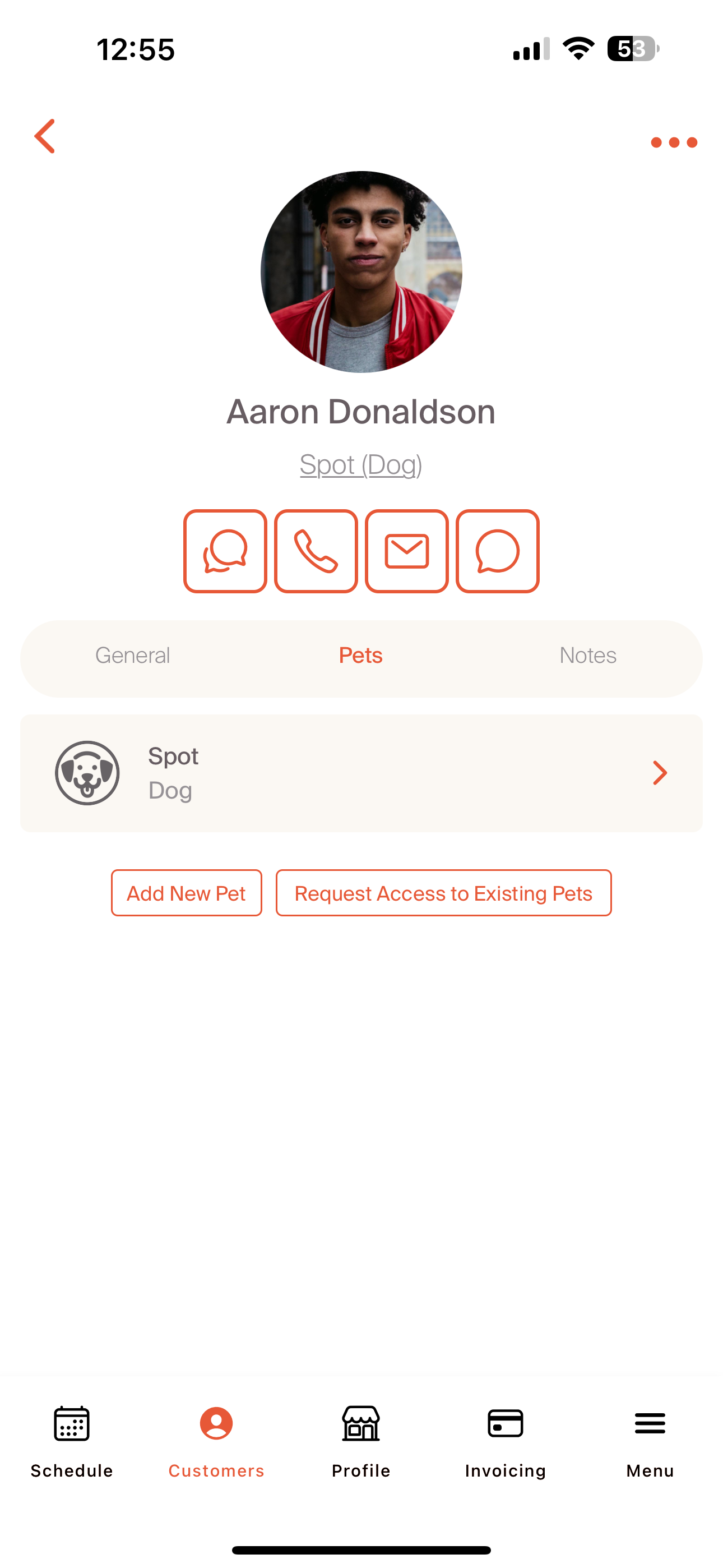
Navigating to the 'Pets' section of the pet profile allows us to connect with our customer's pet profile. This is where we can directly interact with their timeline and Care Plan. By selecting 'Spot', we're taken to our customer's pet profile.
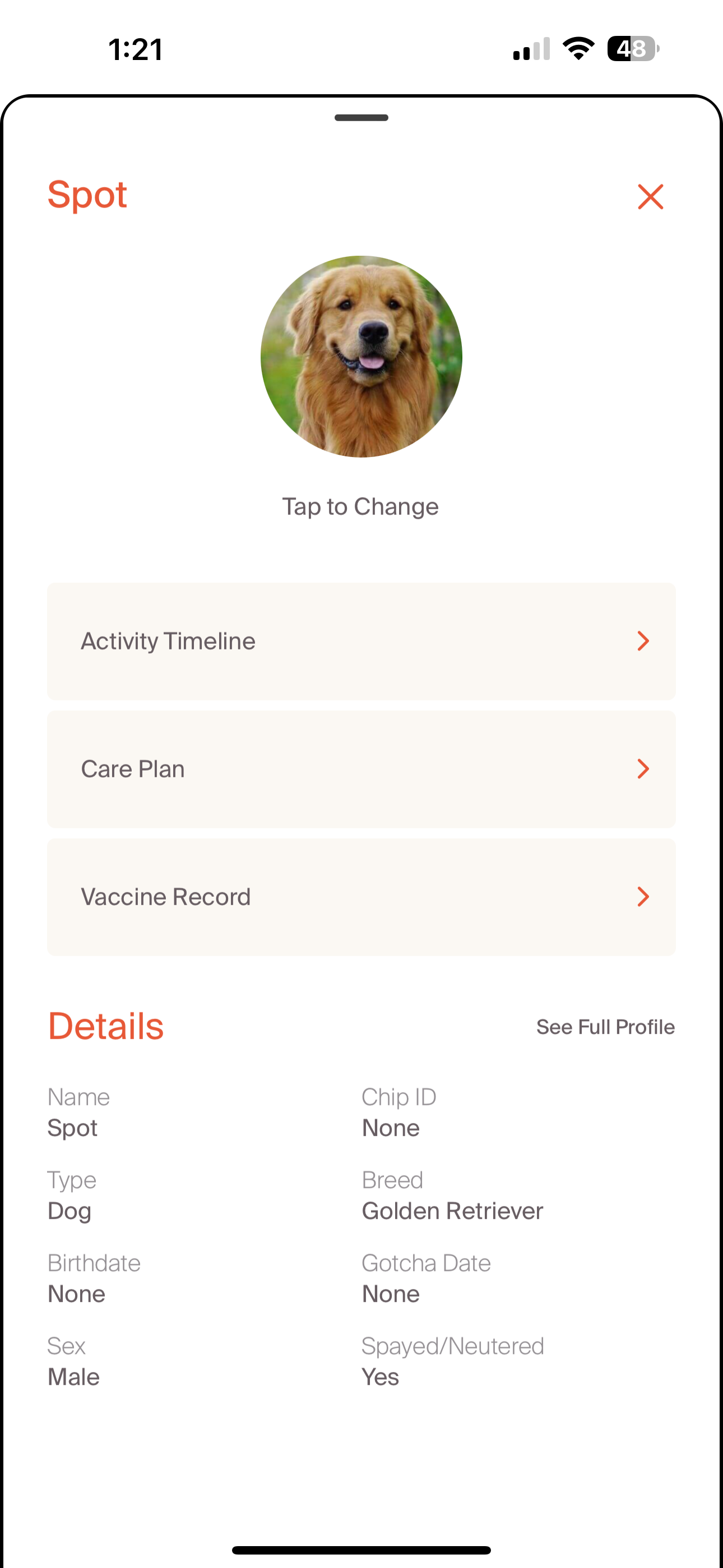
On the profile, we have three options: Activity Timeline, Plan, and Vaccine Record. In addition, we can quickly see the key details including Name, Type, Birthdate, Sex, Chip ID, Breed, Gotcha Date, and if they're Spayed/Neutered.
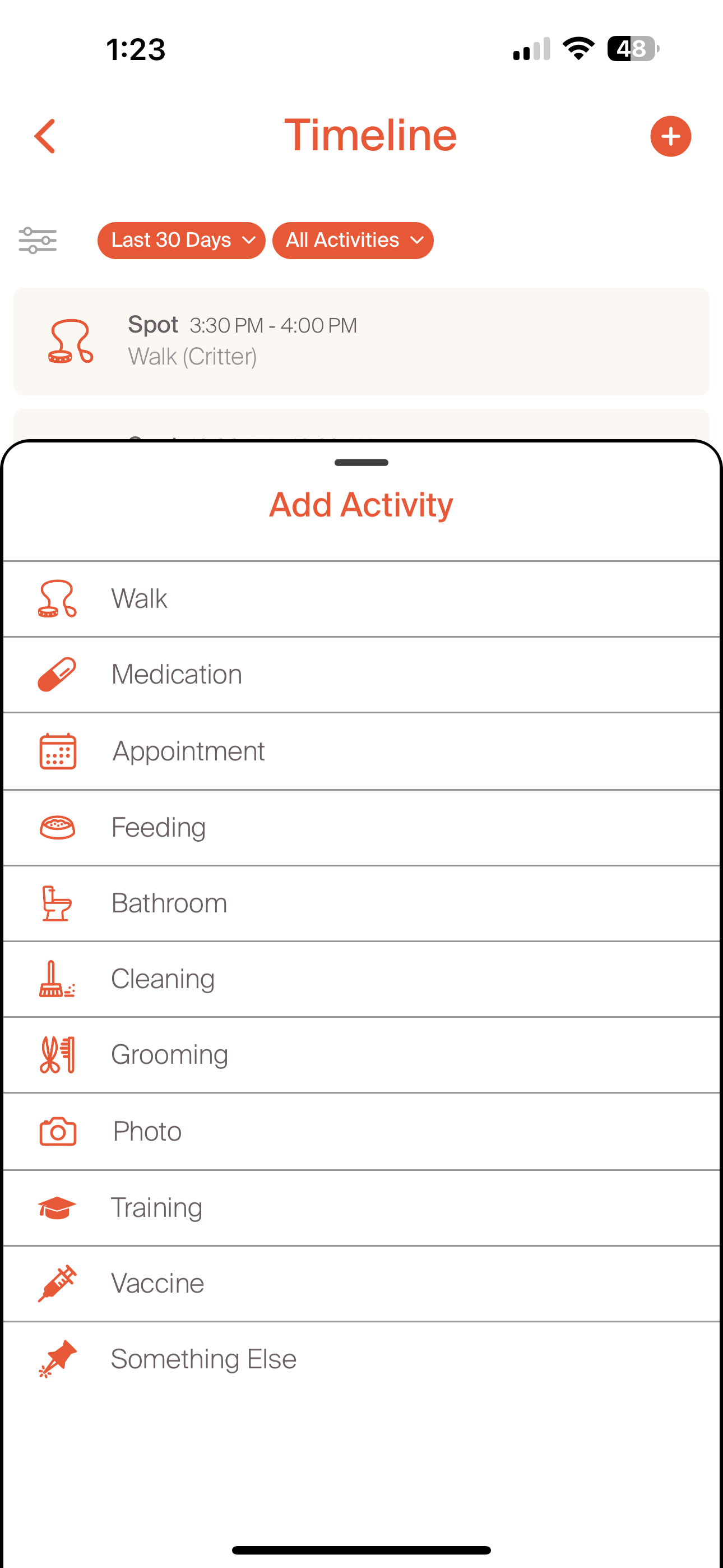
The activity timeline and care plan are the areas where we can collaborate with pet owners to continually improve the care experience. The activity timeline is where we can post services that are complete. This can be done directly on the timeline as shown in the screenshot below, or by submitting a service report. We'll explore the service report further during the services deep dive. The timeline posting can be any activity and can be posted by the pet owner or the pet professional.
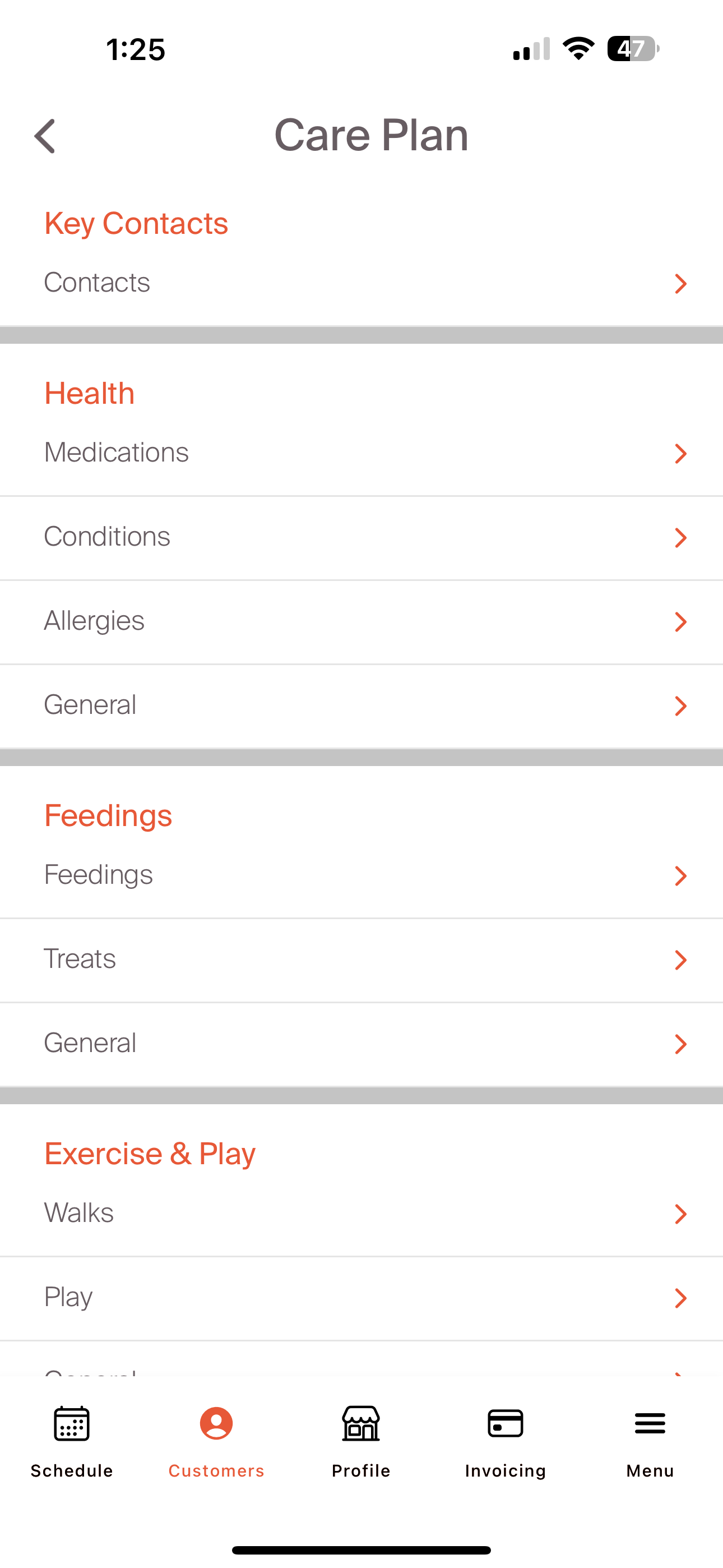
The care plan allows us to manage a collaborative care approach for the pet. This is where we capture key details of a pet's care, broken out by critical care areas. These include Key Contacts, Health, Feedings, Exercise & Play, Grooming & Cleaning, Sleeping, Behavioral, and any other key notes.
We will go deeper into the relationship with customer's as we explore creating and managing bookings.