Overview: Critter Navigation
Navigation in Critter is driven by the five icons on the bottom of the application. In the screenshot below, we can see the following sections (from left to right): Schedule, Customers, Profile, Invoicing and Menu.
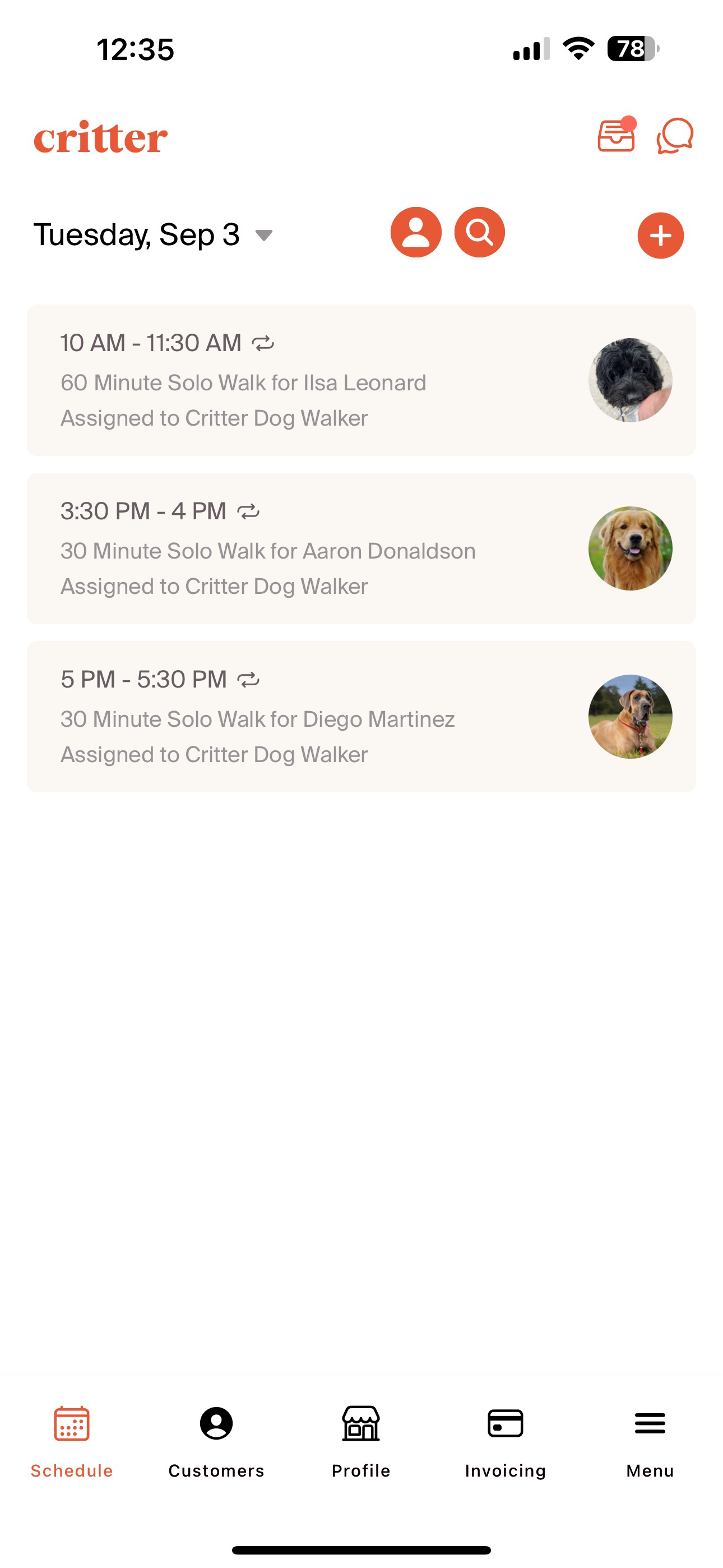
Schedule: The schedule tab will be used to set-up and manage customer bookings. Critter's approach to scheduling allows for professionals to maintain clear control over their bookings. We allow for customers (pet owners) to request bookings as well as professionals to directly book time based on conversations with customers. For detailed, step-by step instructions of completing the booking process, navigate to the Create and Manage Bookings section of the onboarding.
Customers: All customer management is done via the customer tab. Adding customers, updating internal notes, and navigating to care plans are customer management activities that fall into this category. The Adding and Managing Customers section provides a detailed overview of the steps to complete key activities. The Critter team is also happy to work with any organization to migrate or add customer lists and relevant information to accelerate the creation of the professional profile.
Profile: We use the profile tab to house all of the key information about professional businesses. This includes the name of the business, key branding, and contact information. The profile section is also where we house service offerings and pricing, as well as outline key configurations that impact how professional profiles will interact with customers. Critter aims to provide a simple, efficient set-up process. The Creating a Professional Account onboarding section will walk through how to get a professional profile set-up in 30 minutes or less.
Invoicing: The home for all elements of the invoicing and payment process. Critter has functionality for in-app payment, but it is not required for businesses to use. Invoicing and Accepting Payments provides a step-by-step approach for generating invoices, understanding the status of payments, and understanding the customer experience to pay an invoice.
Menu: Managing the Critter subscription, managing employees, and interacting with the Critter team can all be done in the Menu section. Critter's subscription model is a bookings based pricing model in which we have different pricing tiers based on the number of bookings created in a month. This allows us to provide the platform for free to small businesses and scale as their business scales. The subscription section of the onboarding guide goes into detail on the bookings based model, including the different tiers and the price point for each tier.